

Introducing Cozi Chores: Tackle Chore Lists Together
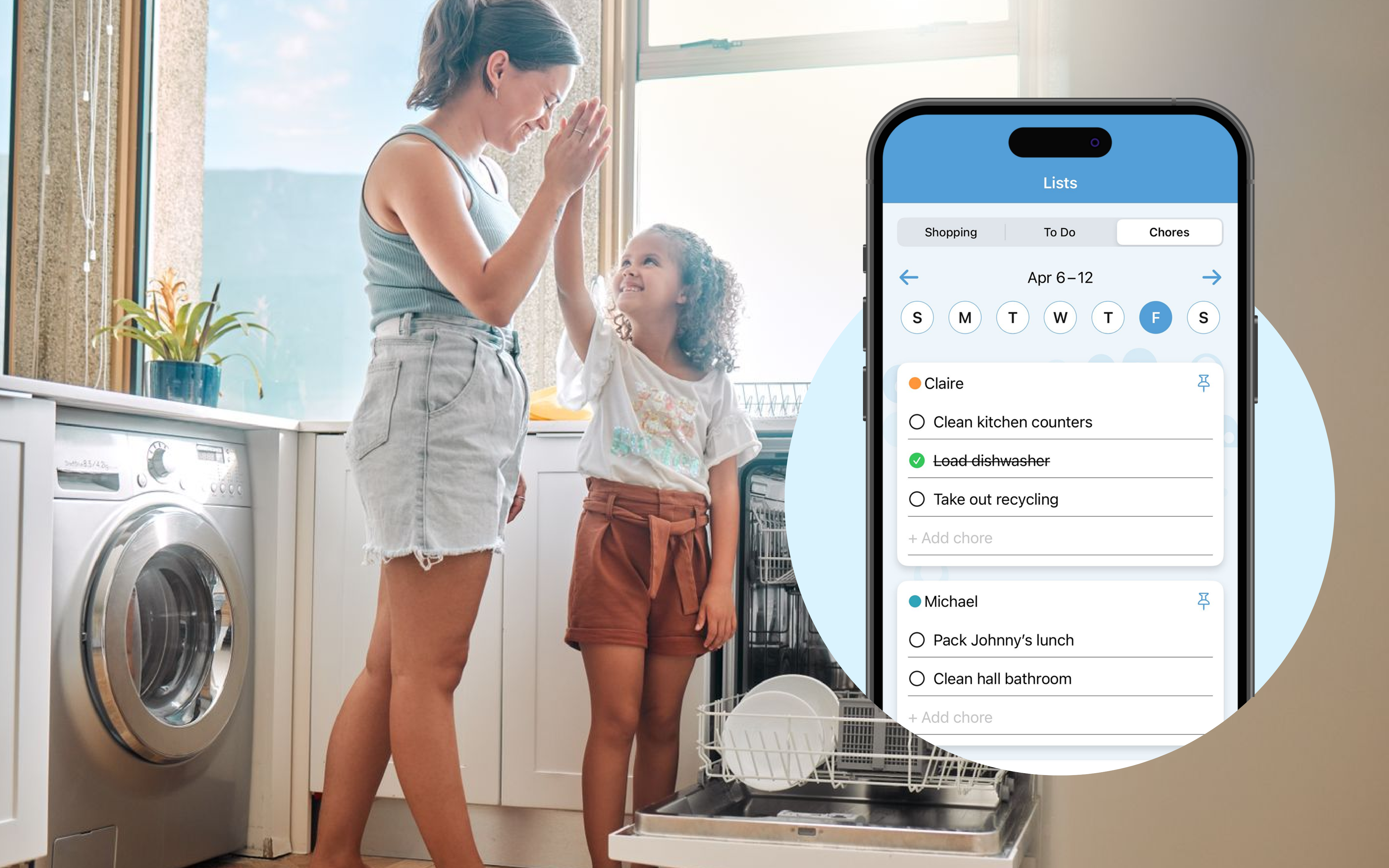
We’re excited to introduce Cozi Chores, available on iOS and Android, to give Cozi families a dedicated place to track household tasks for everyone. To get started, find this new feature in your Cozi family organizer app when you navigate to Lists, then tap Chores. With Cozi Chores, you can easily assign and track recurring chores for each family member—all in one shared view.
Why are chores important for kids?
When you’re really busy, and especially when your kids are younger, it can feel easier to just do the chores yourself. But giving kids age-appropriate responsibilities pays off in ways that go far beyond a clean kitchen.
Chores help kids build fundamental life skills they’ll use for years—like learning how to manage time, follow through on commitments, work hard, and take care of shared spaces. When everyone pitches in, kids also start to see themselves as part of a team. Setting the table before dinner or checking off “feed the dog” isn’t just about getting things done; it’s about learning that their effort matters to the whole family.
Over time, chores can foster confidence and independence. There’s a quiet pride that comes from finishing a task on their own, whether it’s Johnny remembering to take out the recycling or Nia making sure backpacks are lined up by the door. Those small wins add up, helping kids understand the value of hard work, responsibility, and self-discipline.
Most importantly, chores lists give kids a sense of ownership. Instead of being told what to do over and over, they learn how to direct themselves, problem-solve, and feel capable.
For busy families, that shared responsibility can make everyday life feel a little more balanced—and a lot more cooperative.
A few quick tips to make the most of chore lists in Cozi Chores
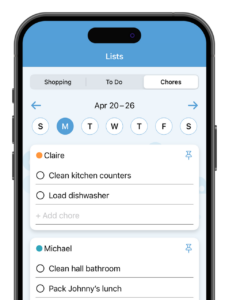
Everyone in the family has a Chores list
Every family member in the account automatically has space for their own chores. You’ll be able to see your chores and the chores for each of your family members.
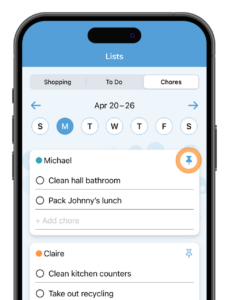 Pin Chores for easy viewing
Each family member has a pin image to the right of their name. Tap this pin to bring that chores list to the top for your account.
Each logged in family member can choose to pin their own list to the top of their personal view. Or, if you’re a parent using Cozi Chores to track to-dos for your kid, you can pin their chores list to the top in your account.
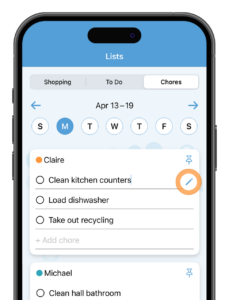
Set up daily or weekly recurrences
Once you’ve created a chore, tap the pencil icon to the right of the chore to set up recurrences. On the edit screen, select daily or weekly. Then, the chore will show up each day (if daily) or each week on the day it was created (if weekly).
Or, if you’re creating a new chore, start by tapping the pencil icon to the right of the line. Then use the edit screen to add in your chore and set up your daily or weekly occurrence.
Now you’re set up to tackle the to-dos—together!
 Cozi is the must-have family organizer app for busy families - easy to use and free in the app store. You'll wonder how you managed your busy life before Cozi. Get the Cozi family organizer app today!
| The #1 organizing app for families. FREE app and website to manage the family calendar, lists, and to dos – all in one place. |  |
| Get the best of Cozi with an ad-free experience and all the premium features. "Worth every penny." --Charlene M. |
 |