
Shared Family Grocery List App
Never forget
the milk again
One shopping list the whole family can use. Everyone adds what they need, and whoever’s at the store has it on their phone.
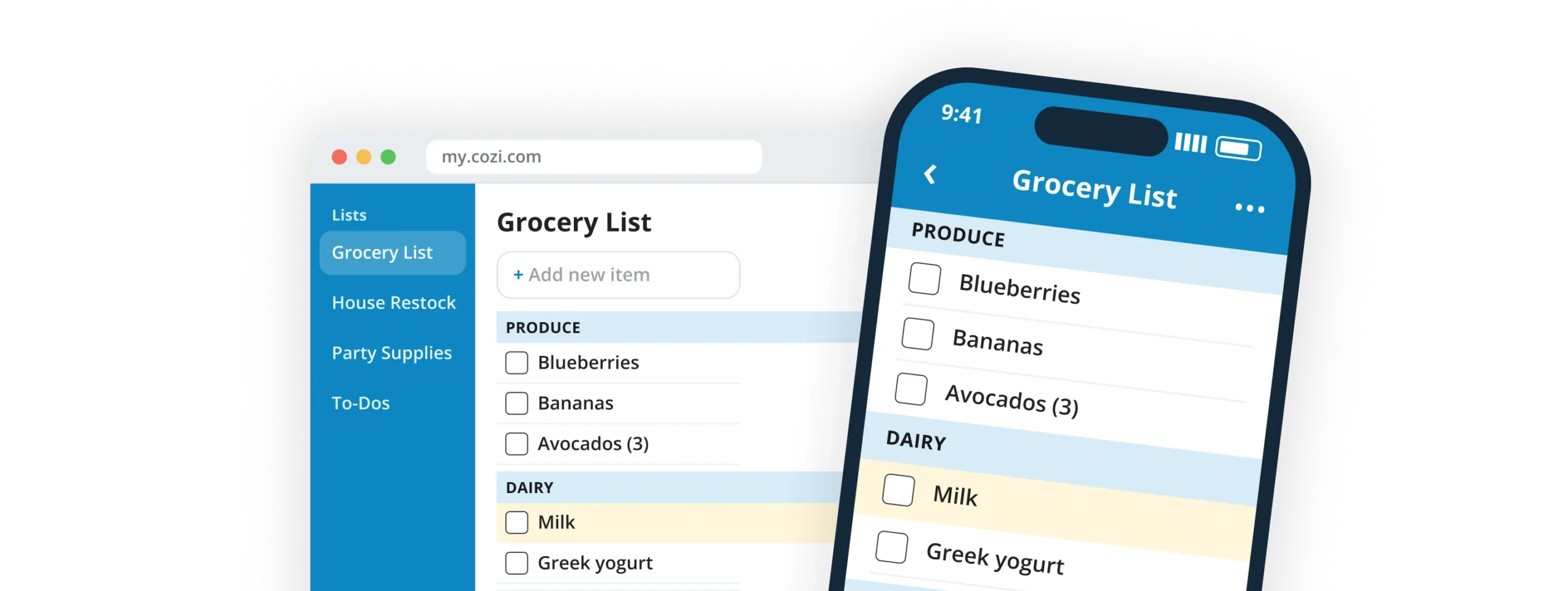
One list everyone can use
Why families need a shared grocery list
Sticky notes, notes apps, text threads. Cozi gives your household one shared place to add what you need.
Sticky notes and scraps of paper
Great until they are forgotten on the counter
Separate notes apps
Everyone has a list, and nobody has the same one
Text messages
"Can you grab eggs?" buried under 40 other texts
Last-minute requests
The call that comes after you've left the store
"Do we need milk?" Check Cozi.
Why families choose Cozi
4.8
average rating on the App Store
399K
App Store ratings from real families
"Must-have"
app, as featured on the TODAY show
Every device
iPhone, Android, and any web browser
"Everyone gets the updates in real time. The kids don't have to ask me to put something on the grocery list. They can do it themselves, and I get the update immediately."
Elizabeth C., Cozi user
"Cozi is very easy to use, and it's lovely that I can put an item on the list and so can everyone else in the family."
Carol T., Cozi user
"Convenient for family shopping! My wife and I use it to coordinate shopping for the family to great success."
Willy F., Cozi user
As seen in

Add it at home, see it at the store
A shared grocery list for the whole family
Someone at home adds milk, and the person at the store sees it. Nobody has to be the one who remembers everything.
✓
Shared automatically. Every list is shared with your whole family. Nothing to invite or forward.
✓
One family member adds, everyone sees. Changes sync to every phone and computer.
✓
No more doubles. Nobody comes home with a second jar of peanut butter.
✓
Send it outside the family, too. Email a list to a babysitter or grandparent.
Free
Shared lists for the whole family, synced across every device.
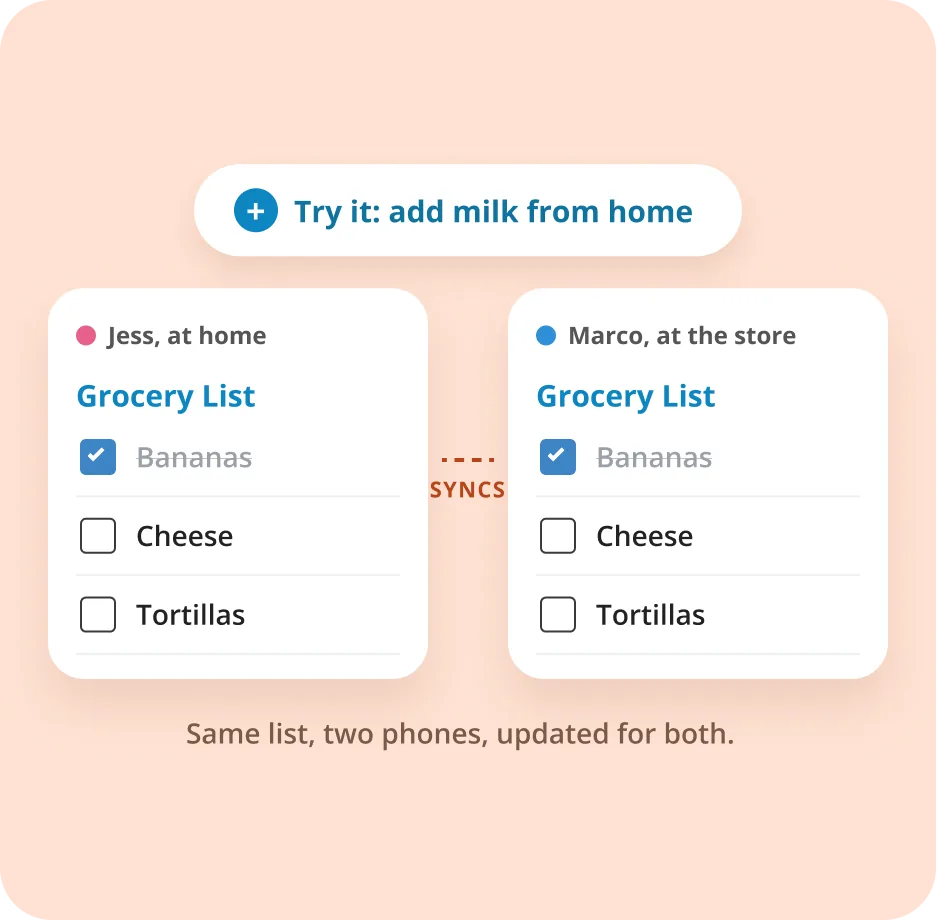
More than groceries
Create a shopping list for just about anything
Groceries are where most families start. Then come the birthday party, back‑to‑school, and the beach trip. Make as many shared lists as you need.
Shopping lists are for things to buy or pick up. For tasks that need doing, use Cozi's family to-do lists.
Grocery List
Milk
✓
Eggs
Blueberries
House Restock
Paper towels
Dish soap
✓
Tissues
School Supplies
✓
Backpack
Glue sticks
Pencils
Birthday Party
Candles
Sprinkles
✓
Napkins
Birthday Gifts
Find gift for Grandma
Markers for Ava's friend
Make card for Grandpa
Holiday Shopping
Ornaments
✓
Wrapping paper
Tree
Vacation Packing
Sunscreen
Snacks
Travel-size shampoo
Hardware Store
Light bulbs
✓
Batteries
Furnace filters
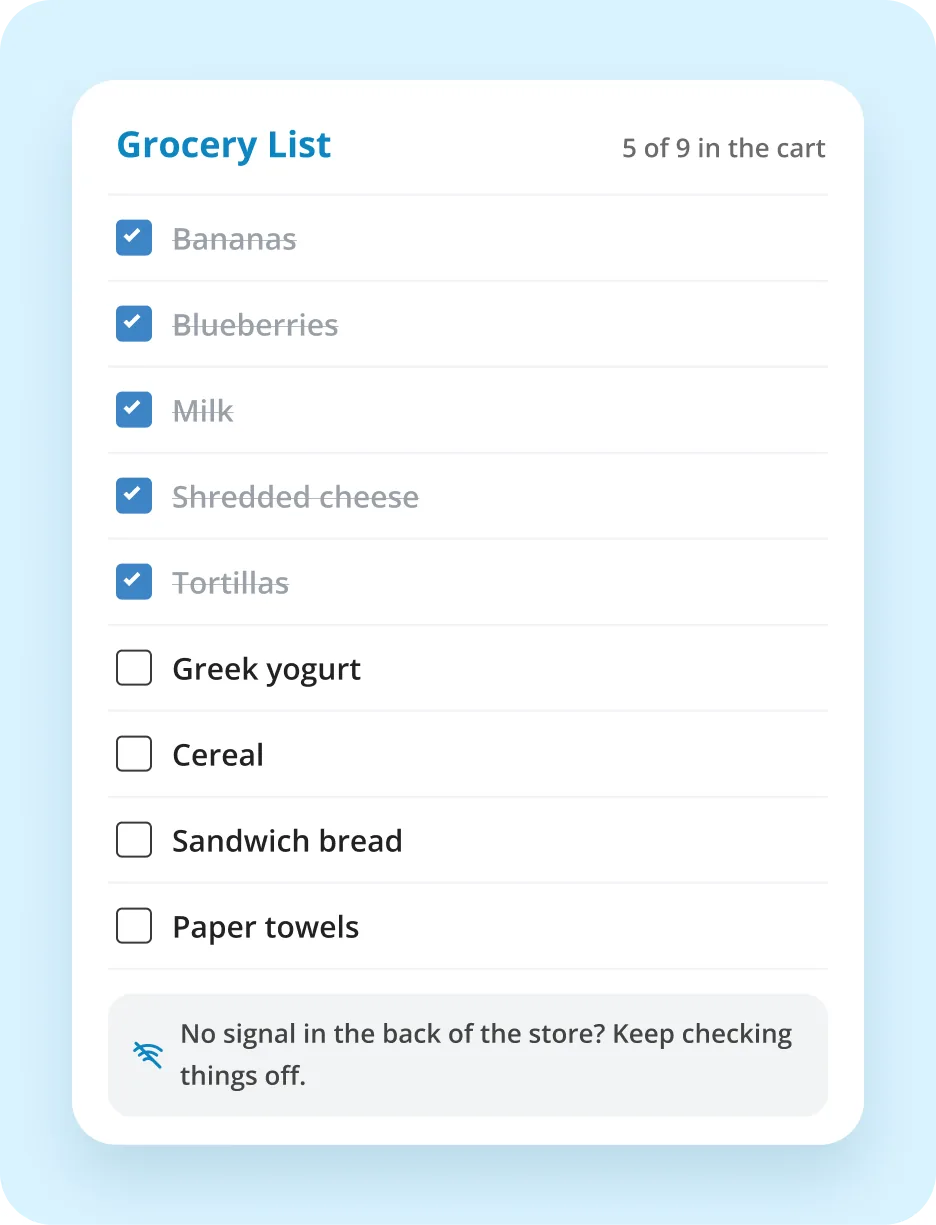
No more paper scraps or separate lists
A grocery list app that goes wherever you go
No more coming home without the one thing you needed. Your list includes items added after you left.
✓
Always the latest list. Items added by other family members show up while you're on the go.
✓
Works when the signal doesn't. Lists are saved on your phone, so you can shop with no signal. Changes sync once you're back online.
✓
Check things off as you shop. The family sees what's already in the cart.
✓
Phone, tablet, or computer. Find a recipe on your work computer, then shop from your phone on the way home.
Free
Lists on every device, with offline access in the mobile app.
Gold
Adds Shopping Mode: checked items drop to the bottom, and the screen stays on while you shop.
One lap around the store
Organize your grocery list by store section
A list in aisle order means one lap around the store instead of three.
✓
Sections by aisle. Type a header in all caps, like PRODUCE, to make a section.
✓
Drag and reorder. Put items in the order you walk the store.
✓
One list or one per store. Keep one list, or one for each store.
✓
A master list that resets. Check off weekly staples, then uncheck them all for next time.
Free
Sections, drag-and-drop sorting, and as many lists as you need.
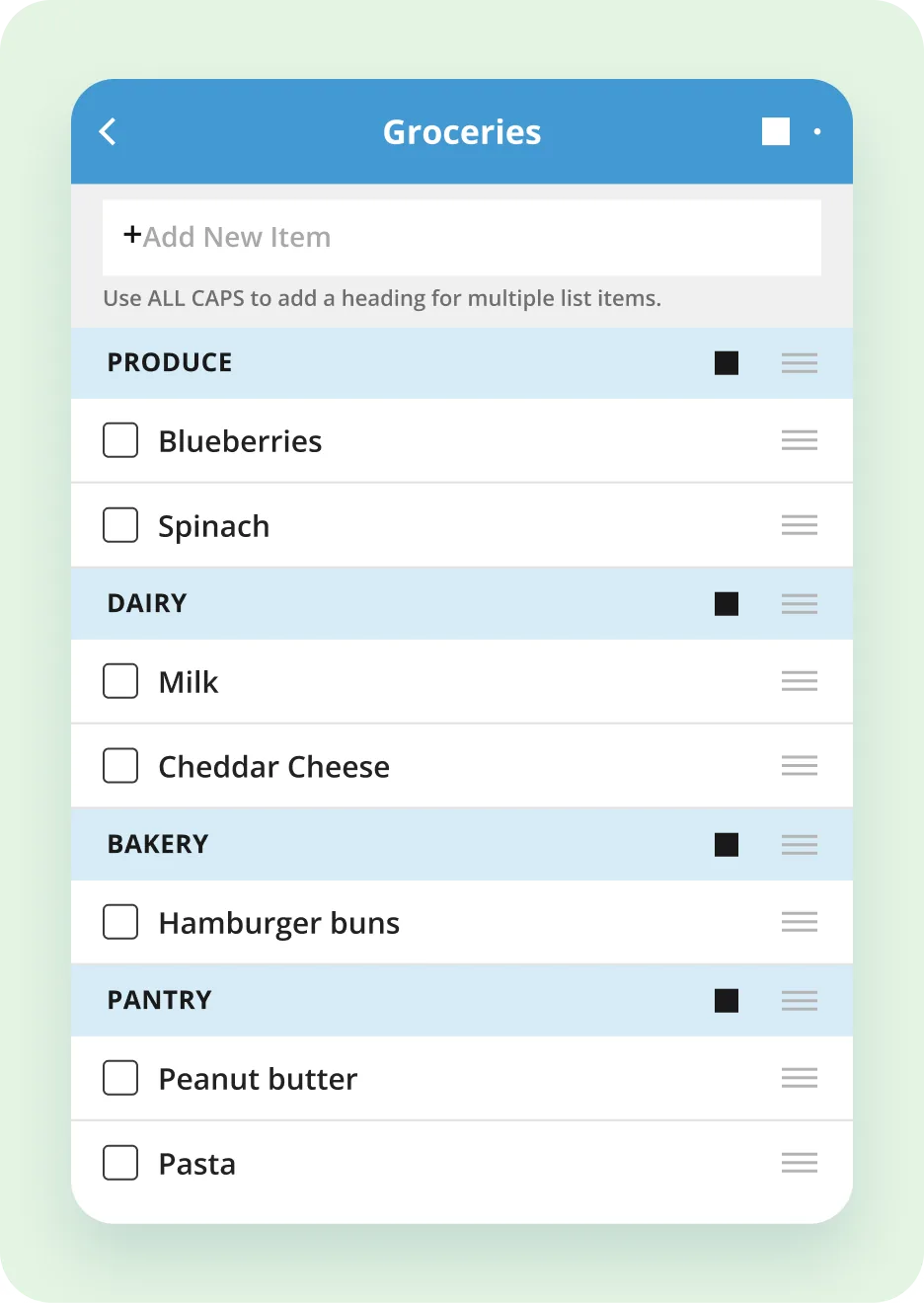
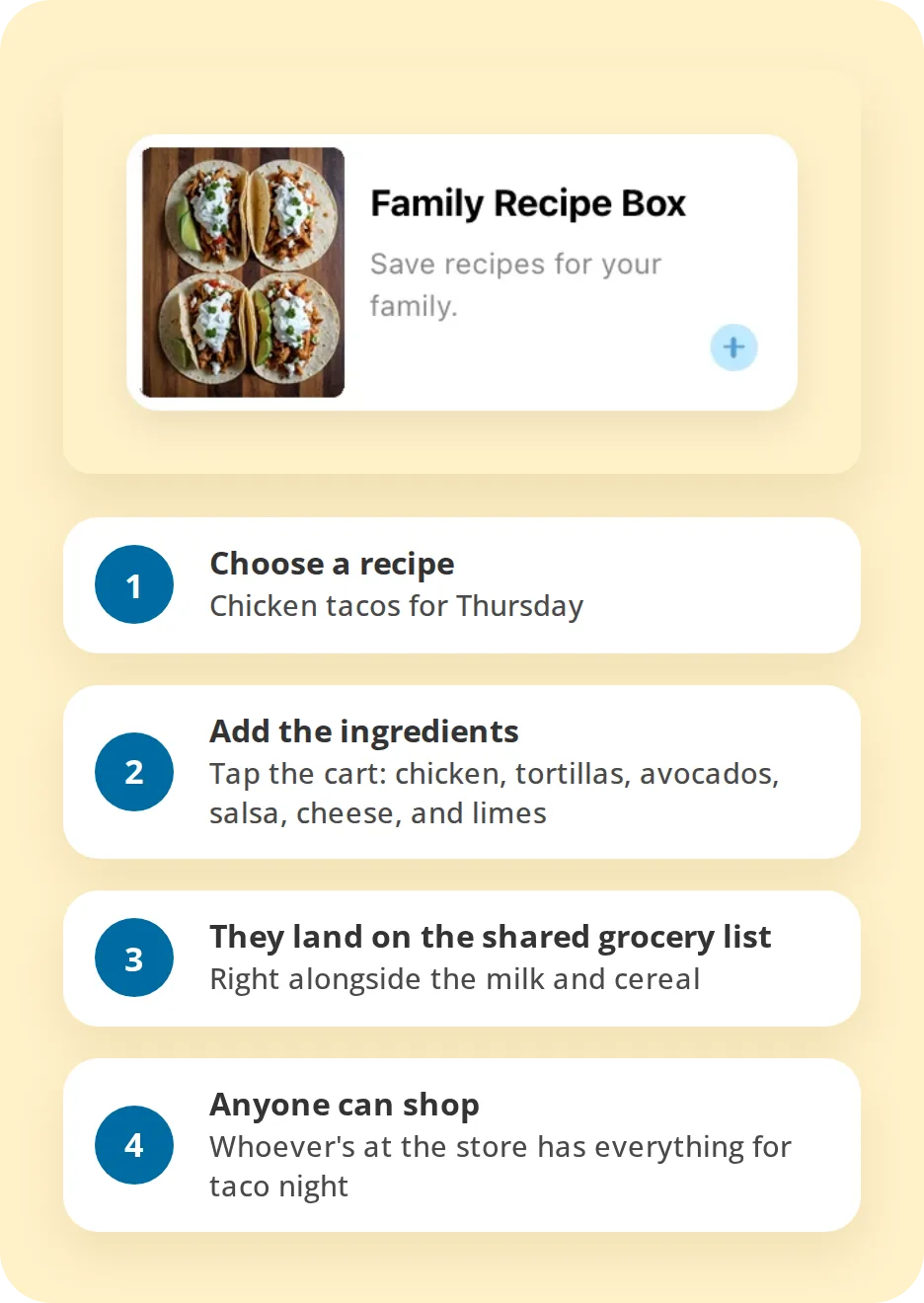
Taco night, handled
A meal planner with a grocery list built in
Stop answering "what's for dinner?" Plan meals once a week, and the ingredients go straight to your grocery list.
✓
Add ingredients to the list in one tap. Open a recipe and tap the shopping cart.
✓
Tons of recipes to start with. Or save your own, from Grandma's lasagna to a favorite sheet-pan dinner.
✓
Plan the week, shop once. Put meals on the calendar and make one grocery trip instead of four.
✓
Everyone's on the same page. Whoever cooks and whoever shops work from the same plan.
Free
Recipe box, meal planning, and adding ingredients to your list.
Max
AI Meal Planner builds meal plans around the cuisines and proteins your family likes.
The list doesn't live with one person
A day with a shared family grocery list
A Tuesday when the whole family adds to the shared list, and someone else shops.
1
7:05 AM
Someone finishes the milk
Sam pours the last of it and adds milk to the grocery list before the bus comes.
Grocery list
2
7:20 AM
Someone else adds cereal
Ava sees milk is already on the list and adds the cereal she likes.
Shared list
3
12:30 PM
Dinner ingredients join the list
Jess picks chicken tacos from the recipe box at lunch and adds the ingredients in one tap.
Recipes
4
5:30 PM
Someone stops at the store
Marco is passing the grocery store on the way home. The complete list is already on his phone.
On the go
5
5:45 PM
Everything gets checked off
Marco works through the list aisle by aisle, and the family can see what's already in the cart.
Organized by aisle
6
6:30 PM
Taco night happens
Not once did anyone text, "Do we need anything from the store?"
The whole family
★★★★★
"My husband and I are able to keep a grocery list that we can both access and add to. It has saved us a lot of time and, sometimes, arguments."
L.K., Cozi user
One list, one part of a more organized family
More than a grocery list app
Cozi also keeps your family calendar, meals, to-dos, and chores in the same app as your grocery list.
Recipe ingredients become grocery items
Plan shopping around the family's schedule
Keep errands and tasks separate from what to buy
A chore list for every family member
Compare what each plan includes
See everything Cozi can help your family organize
Free and premium shopping list features
Cozi is free
The shared grocery list is included with Cozi Free. One Gold or Max upgrade covers your whole family.
Cozi Free
Start here
Create and share grocery and shopping lists with your family.
Free
Shopping list features
- Shopping lists shared with the whole family
- Syncs across phones and computers
- Offline access in the mobile app
- Sections and drag-and-drop sorting
- Recipe ingredients to your list in one tap
Cozi Gold
Everything in Free, ad-free, with extra shopping features.
$39 /year
Everything in Free, plus
- Shopping Mode: checked items drop to the bottom and new ones stand out
- The screen stays on while you shop
- No ads
- Month view on mobile and more calendar extras
Cozi Max
Everything in Gold, plus AI‑powered tools for meals and the calendar.
$79 /year
Everything in Gold, plus
- AI Meal Planner
- AI Event Import
- AI Recipe Creator
FAQ
Shared grocery list questions, answered
What families ask most before they pick a family grocery list app.
What is a shared grocery list?
A shared grocery list is one list everyone in a household can see and add to from their own phone.
How do I share a grocery list with my family?
Shopping lists in Cozi are automatically shared with everyone in your family account. When you add or check off an item, it syncs across all of your family's devices. You can also email a list or use your phone's sharing options to send it to someone outside the app.
Can multiple people update the same grocery list?
Yes. Everyone in your Cozi family can add items, check them off, and rearrange the list. A Cozi family can have up to 12 members, each signed in on their own device.
Does Cozi sync grocery lists between phones?
Yes. Cozi syncs your lists across iPhone, Android, and the web. Items added by other family members show up on your phone, even while you're at the store.
Can I organize my grocery list by store section?
Yes. Type a section header in all caps, like PRODUCE, DAIRY, or BAKERY, then drag items under it. You can match your list to the layout of your grocery store. See how to add sections and sort items.
Can I make separate shopping lists for different stores?
Yes. Make one list for everything, or create a list for each store you go to. You can have as many lists as you need, like Grocery List, House Restock, and School Supplies.
Can I add recipe ingredients to my grocery list?
Yes. When you're viewing a recipe in Cozi, tap the shopping cart icon to add its ingredients to a shopping list. You can pick an existing list or create a new one. Learn about Cozi Recipes & Meal Planning.
Can I use my Cozi shopping list offline?
Yes. The Cozi mobile app saves your lists on your device. You can check off, add, or rearrange items while you're offline, and the changes sync once you reconnect to the internet.
Is Cozi's shared grocery list free?
Yes. Shared shopping lists, syncing, offline access, sections, and adding recipe ingredients are included in Cozi Free. Cozi Gold ($39/year) adds Shopping Mode, no ads, and premium calendar features. Cozi Max ($79/year) adds AI tools, including AI Meal Planner. Compare Cozi plans.
The grocery list everyone can actually find
Everyone can add what they need. Whoever goes shopping has the latest list. Cozi is free.